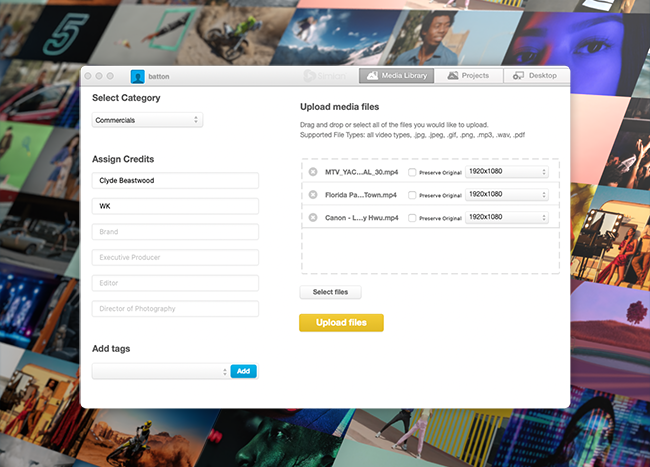
Learn how to encode web-friendly video with lightning fast upload
Minimum System Requirements:
- OS X Mountain Lion or higher
- Window 7 or higher
File Types Supported:
- Most video formats
- JPG, .GIF, .PNG, .MP3, .PDF
Download and Setup:
Upload Files to Simian:
- Choose an upload location in either the Media Library or Projects.
- Drag and drop all files to be uploaded into the RTVE.
- Alternatively, click Select Files to browse your computer for a file.
- If necessary, change the video aspect ratio from the dropdown to the right of the video title.
- Select Upload Files to encode and upload. Encoding queues of 25 videos or less are recommended for maximum performance.
Note: Checking Preserve Original will create an encoded, playable proxy file. However, the original file will also still be uploaded and available for download..
Encode to Desktop:
- Choose Encode to Desktop as the upload location.
- Complete steps 2-4 above.
- Once completed, select Show in Finder to locate the encoded files.
Note: By default, encoded files are saved to “Users > [Computer Name] > Simian RTVE Output”. To change the save destination, click Save To and select a different folder.